3. SharedWorker로 멀티탭 소켓을 하나로 묶기
작성일:2025.05.26|수정일:2026.11.14|조회수:1
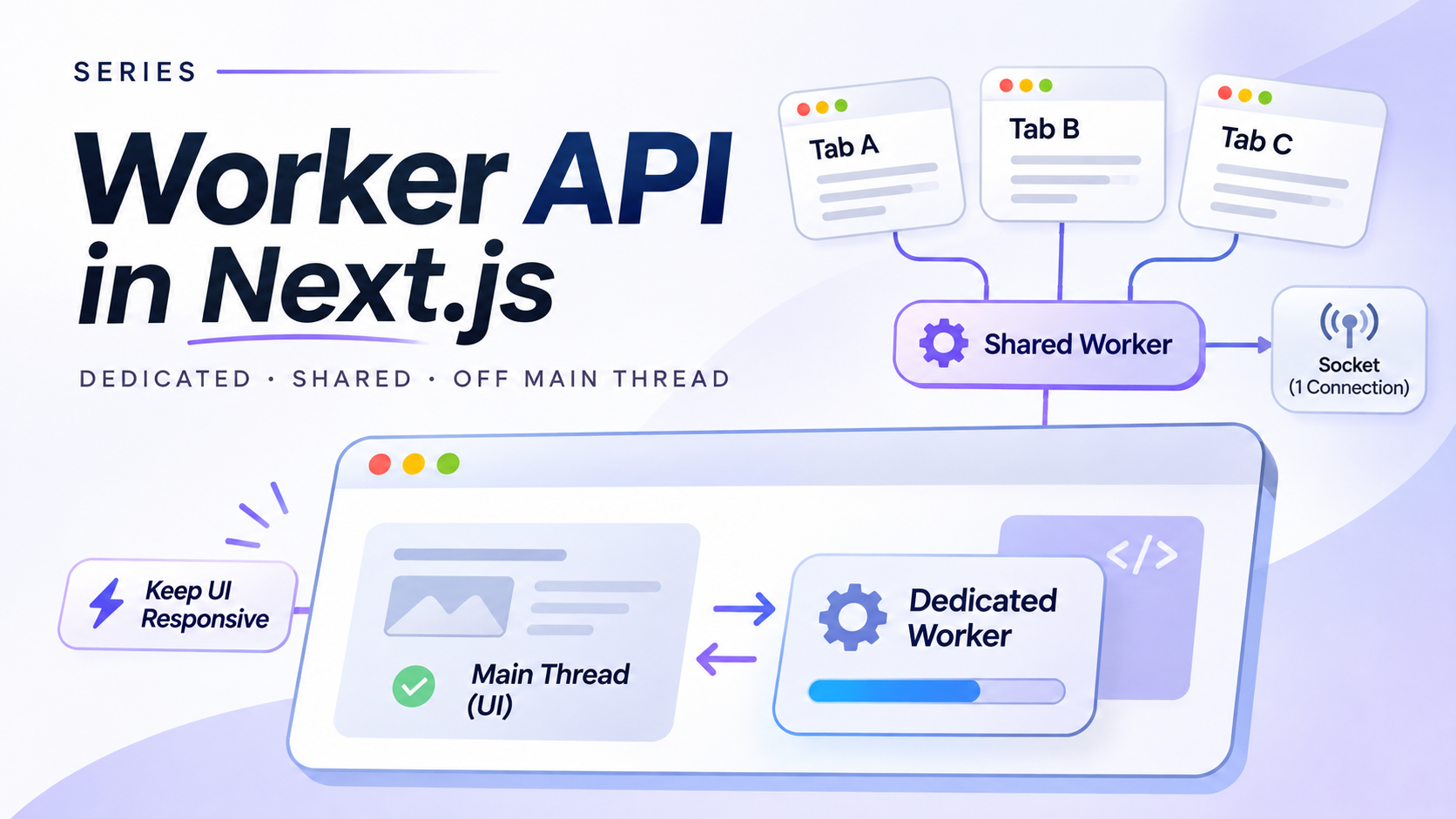
같은 서비스를 여러 탭에 열면 서버의 Socket.IO 연결도 탭 수만큼 늘어날 수 있다. 각 탭의 React 훅이 자기 소켓을 만드는 구조에서는 당연한 결과다. 사용자는 한 명이지만 브라우저 컨텍스트는 여러 개이고, 각각이 연결의 소유자라고 생각하기 때문이다.
SharedWorker를 쓰면 소켓의 소유권을 개별 탭 밖으로 옮길 수 있다. 같은 브라우저의 여러 탭은 MessagePort로 하나의 Worker에 연결하고, Worker가 Socket.IO 인스턴스 하나를 유지한다. 다만 “같은 origin이면 소켓 하나”라고 끝낼 수는 없다. 죽은 포트, 자동 재연결, 인증 컨텍스트, 새 버전 배포까지 정하지 않으면 연결 수를 줄인 대신 더 추적하기 어려운 상태를 만든다.
이 글의 예제는 Next.js 16.4.6과 Turbopack에서 두 탭이 하나의 SharedWorker와 Socket.IO 연결을 공유하는 것을 확인했다. 두 탭에서 공유 카운터를 바꿨을 때 서버의 live connection 수는 1로 유지됐다.
연결의 소유권을 탭 밖으로 옮긴다
구조를 먼저 산문으로 적으면 단순하다.
- 각 탭은 SharedWorker의
MessagePort를 가진다. - SharedWorker는 Socket.IO 인스턴스를 하나 가진다.
- 탭이 보낸 허용된 명령을 Worker가 소켓 이벤트로 바꾼다.
- 서버 이벤트와 연결 상태를 Worker가 모든 탭에 보낸다.
- 마지막 탭이 사라진 뒤 일정 시간이 지나면 Worker가 소켓을 명시적으로 종료한다.
Dedicated Worker가 한 화면의 작업을 소유한다면, SharedWorker는 여러 화면이 함께 쓰는 자원을 소유한다. 여기서는 소켓이 그 자원이다.
SharedWorker도 정적인 Worker 진입점 패턴을 사용한다. 다만 여기서 중요한 것은 URL보다 MessagePort다. 각 탭은 Worker 인스턴스에 직접 메시지를 보내는 대신 자기 포트로 통신하고, Worker의 connect 이벤트는 새 포트를 하나씩 받는다.
탭과 Worker 사이에 작은 프로토콜을 둔다
예제의 클라이언트 명령은 네 가지뿐이다.
attach: 클라이언트 ID와 인증 컨텍스트를 등록한다.heartbeat: 탭이 아직 살아 있음을 알린다.increment: 허용된 Socket.IO 이벤트 하나를 요청한다.disconnect: 정상 cleanup 경로에서 포트를 닫는다.
이름이 임의 문자열인 Socket.IO 이벤트를 그대로 통과시키지 않는 이유가 있다. Worker는 신뢰 경계가 아니며, unknown 타입도 런타임 검증을 대신하지 않는다. 실제 서비스에서는 명령과 payload를 allowlist와 런타임 스키마로 더 좁혀야 하고, 서버도 권한을 다시 검사해야 한다.
React 컴포넌트는 이 프로토콜을 UI 상태로 번역한다. SharedWorker 생성이 실패하면 오류를 만들고, 성공하면 포트를 시작한 뒤 attach를 보낸다. cleanup에서는 disconnect를 보낸 다음 로컬 포트도 닫는다.
'use client';import { useEffect, useRef, useState } from 'react';type SocketStatus = 'idle' | 'connecting' | 'connected' | 'disconnected' | 'error';type WorkerMessage = | { type: 'ready'; clientCount: number; status: SocketStatus; count: number } | { type: 'status'; clientCount: number; status: SocketStatus } | { type: 'counter'; clientCount: number; count: number } | { type: 'error'; message: string };export function SharedWorkerDemo() { const portRef = useRef<MessagePort | null>(null); const clientIdRef = useRef<string | null>(null); const [status, setStatus] = useState<SocketStatus>('idle'); const [clientCount, setClientCount] = useState(0); const [count, setCount] = useState(0); const [error, setError] = useState<string | null>(null); useEffect(() => { if (typeof SharedWorker === 'undefined') { setError('SharedWorker를 지원하지 않는 환경이다.'); return; } const clientId = crypto.randomUUID(); let worker: SharedWorker; try { worker = new SharedWorker( new URL('../workers/shared-socket.worker.ts', import.meta.url), { type: 'module', name: 'shared-socket-v1' }, ); } catch (workerError) { setError(workerError instanceof Error ? workerError.message : 'SharedWorker 생성 실패'); return; } const port = worker.port; const handleMessage = (event: MessageEvent<WorkerMessage>) => { const message = event.data; if (message.type === 'error') { setError(message.message); return; } if ('status' in message) setStatus(message.status); if ('clientCount' in message) setClientCount(message.clientCount); if ('count' in message) setCount(message.count); }; port.addEventListener('message', handleMessage); port.start(); port.postMessage({ type: 'attach', clientId, sessionKey: 'demo-session' }); const heartbeat = window.setInterval(() => { port.postMessage({ type: 'heartbeat', clientId }); }, 3_000); portRef.current = port; clientIdRef.current = clientId; return () => { window.clearInterval(heartbeat); try { port.postMessage({ type: 'disconnect', clientId }); } finally { port.removeEventListener('message', handleMessage); port.close(); portRef.current = null; clientIdRef.current = null; } }; }, []); const increment = () => { const port = portRef.current; const clientId = clientIdRef.current; if (port && clientId) port.postMessage({ type: 'increment', clientId }); }; return ( <section> <h2>SharedWorker + Socket.IO</h2> <button type="button" onClick={increment} disabled={status !== 'connected'}> 공유 카운터 증가 </button> <output>{`${count} / ${clientCount} tabs / ${status}`}</output> {error && <p role="alert">{error}</p>} </section> );}Worker 이름의 v1은 장식이 아니다. SharedWorker는 이름과 script URL과 옵션이 맞아야 기존 인스턴스를 공유한다. 해시된 Worker URL이 바뀌는 롤링 배포에서 예전 탭이 살아 있다면, 같은 이름으로 새 URL을 연결하려는 탭이 충돌할 수 있다. 공개 build version이나 프로토콜 버전을 이름에 넣으면 구버전과 신버전을 분리할 수 있지만, 배포 중 잠시 소켓이 둘 존재할 수 있다는 비용도 받아들여야 한다.
소켓은 하나만 만들고 Socket 객체는 함부로 버리지 않는다
Worker는 첫 attach에서 Socket.IO 인스턴스를 만들고 이후 포트에는 같은 객체를 제공한다. disconnect 이벤트가 왔다고 곧바로 socket = null로 만들면 안 된다. Socket.IO가 자동 재연결을 수행하는 상황에서는 기존 Manager가 살아 있는데 코드만 참조를 잃을 수 있고, 다음 탭이 새 Socket을 만들면 실제 연결이 중복될 수 있다.
예제는 자동 재연결 중에도 같은 Socket 객체를 유지한다. 모든 클라이언트가 사라지고 idle grace time이 지난 명시적 teardown에서만 리스너를 제거하고 disconnect()한 뒤 참조를 비운다.
/// <reference lib="webworker" />import { io, type Socket } from 'socket.io-client';const sharedSelf = self as unknown as SharedWorkerGlobalScope;type ClientCommand = | { type: 'attach'; clientId: string; sessionKey: string } | { type: 'heartbeat'; clientId: string } | { type: 'increment'; clientId: string } | { type: 'disconnect'; clientId: string };type WorkerMessage = | { type: 'ready'; clientCount: number; status: SocketStatus; count: number } | { type: 'status'; clientCount: number; status: SocketStatus } | { type: 'counter'; clientCount: number; count: number } | { type: 'error'; message: string };type SocketStatus = 'idle' | 'connecting' | 'connected' | 'disconnected' | 'error';type ClientRecord = { port: MessagePort; sessionKey: string; lastSeen: number;};const clients = new Map<string, ClientRecord>();let socket: Socket | null = null;let activeSessionKey: string | null = null;let status: SocketStatus = 'idle';let count = 0;let teardownTimer: ReturnType<typeof setTimeout> | null = null;function post(port: MessagePort, message: WorkerMessage) { port.postMessage(message);}function broadcast(message: WorkerMessage) { for (const { port } of clients.values()) post(port, message);}function broadcastStatus() { broadcast({ type: 'status', status, clientCount: clients.size });}function ensureSocket(sessionKey: string) { if (activeSessionKey && activeSessionKey !== sessionKey) { throw new Error('다른 인증 컨텍스트는 같은 SharedWorker 소켓을 공유할 수 없습니다.'); } if (socket) return; activeSessionKey = sessionKey; status = 'connecting'; socket = io('http://127.0.0.1:3211', { transports: ['websocket'], auth: { sessionKey }, }); socket.on('connect', () => { status = 'connected'; broadcastStatus(); }); socket.on('disconnect', () => { status = 'disconnected'; broadcastStatus(); }); socket.on('connect_error', (error) => { status = 'error'; broadcast({ type: 'error', message: error.message }); broadcastStatus(); }); socket.on('counter', (nextCount: number) => { count = nextCount; broadcast({ type: 'counter', count, clientCount: clients.size }); });}function scheduleTeardown() { if (clients.size > 0 || teardownTimer) return; teardownTimer = setTimeout(() => { teardownTimer = null; if (clients.size > 0) return; socket?.removeAllListeners(); socket?.disconnect(); socket = null; activeSessionKey = null; status = 'idle'; }, 1_000);}function removeClient(clientId: string) { const client = clients.get(clientId); if (!client) return; clients.delete(clientId); client.port.close(); broadcastStatus(); scheduleTeardown();}setInterval(() => { const expiresBefore = Date.now() - 10_000; for (const [clientId, client] of clients) { if (client.lastSeen < expiresBefore) removeClient(clientId); }}, 2_000);sharedSelf.addEventListener('connect', (event: MessageEvent) => { const port = event.ports[0]; if (!port) return; port.start(); port.addEventListener('message', (messageEvent: MessageEvent<ClientCommand>) => { const command = messageEvent.data; if (command.type === 'attach') { try { ensureSocket(command.sessionKey); if (teardownTimer) { clearTimeout(teardownTimer); teardownTimer = null; } clients.set(command.clientId, { port, sessionKey: command.sessionKey, lastSeen: Date.now(), }); post(port, { type: 'ready', clientCount: clients.size, status, count }); broadcastStatus(); } catch (error) { post(port, { type: 'error', message: error instanceof Error ? error.message : 'SharedWorker 연결 실패', }); } return; } const client = clients.get(command.clientId); if (!client || client.port !== port) return; if (command.type === 'heartbeat') { client.lastSeen = Date.now(); return; } if (command.type === 'increment') { if (!socket?.connected) { post(port, { type: 'error', message: '소켓이 연결되지 않았습니다.' }); return; } socket.emit('increment'); return; } if (command.type === 'disconnect') removeClient(command.clientId); });});이 Worker는 Set<MessagePort> 대신 clientId를 키로 둔 Map을 사용한다. 그래야 heartbeat 시각과 인증 컨텍스트를 포트별로 관리할 수 있다. postMessage()가 실패할 때만 죽은 포트를 발견할 수 있다고 가정하지도 않는다. 닫힌 포트로 보낸 메시지가 조용히 버려질 수 있기 때문이다.
heartbeat는 완벽한 종료 감지가 아니다. 탭 크래시나 모바일 task kill을 즉시 알 수 없고, 타이머가 throttling되면 늦게 정리될 수도 있다. 그래도 beforeunload 하나에 의존하는 것보다는 만료 조건이 명시적이다. 실제 시간 값은 백그라운드 탭 정책과 허용할 재접속 지연을 보고 조정해야 한다.
인증 컨텍스트가 다르면 같은 소켓을 쓰지 않는다
SharedWorker는 같은 출처의 여러 페이지가 접근할 수 있는 실행 컨텍스트이지, 사용자나 테넌트를 분리해주는 보안 경계가 아니다. 한 Worker가 받은 서버 이벤트를 모든 포트에 브로드캐스트한다면, 연결된 탭들이 같은 인증 컨텍스트를 사용한다는 전제가 필요하다.
예제는 첫 탭의 sessionKey를 Worker의 활성 컨텍스트로 고정하고, 다른 값을 가진 탭의 연결을 거부한다. 여기서 demo-session은 검증용 값일 뿐이다. 실제 bearer token을 Worker 이름, script URL, 로그, 브로드캐스트 메시지에 넣어서는 안 된다.
토큰이 갱신되는 서비스라면 auth_updated 같은 별도 명령이 필요하다. Worker가 메모리의 인증 값을 바꾸고 socket.auth를 갱신한 뒤 명시적으로 재연결해야 다음 handshake에 새 자격 증명이 들어간다. HttpOnly 쿠키를 쓰더라도 이미 열린 WebSocket이 저절로 새 세션을 인증하는 것은 아니므로, 재연결 정책은 남는다. 여러 탭이 동시에 refresh를 시도한다면 Worker에서 single-flight로 합치거나 서버 세션 중심으로 단순화하는 편이 낫다.
최소 서버로 연결 수를 확인한다
클라이언트 구조만 보고 소켓 하나라고 믿으면 안 된다. 아래 서버는 검증을 위해 현재 live connection 수와 공유 카운터를 유지한다. /ws 같은 문자열이 namespace인지 transport path인지 애매하게 두지 않고 기본 namespace와 기본 Socket.IO path를 사용했다.
import http from 'node:http';import { Server } from 'socket.io';let liveConnections = 0;let count = 0;const httpServer = http.createServer((request, response) => { if (request.url === '/stats') { response.writeHead(200, { 'content-type': 'application/json', 'access-control-allow-origin': '*', }); response.end(JSON.stringify({ liveConnections, count })); return; } response.writeHead(404); response.end();});const io = new Server(httpServer, { cors: { origin: 'http://127.0.0.1:3210' }, transports: ['websocket'],});io.use((socket, next) => { if (socket.handshake.auth.sessionKey !== 'demo-session') { next(new Error('invalid session')); return; } next();});io.on('connection', (socket) => { liveConnections += 1; socket.emit('counter', count); socket.on('increment', () => { count += 1; io.emit('counter', count); }); socket.on('disconnect', () => { liveConnections -= 1; });});httpServer.listen(3211, '127.0.0.1', () => { console.log('socket fixture ready on http://127.0.0.1:3211');});두 탭을 연 뒤 한쪽에서 카운터를 증가시키면 두 탭이 같은 값을 받는다. 동시에 /stats의 liveConnections는 1이어야 한다. 탭을 하나 닫아도 연결은 유지되고, 마지막 탭을 닫은 뒤 grace time이 지나면 0으로 내려가야 한다.
SharedWorker를 만들 수 없는 환경도 정상 경로다
SharedWorker 지원 범위는 과거보다 넓어졌지만 모든 WebView, 구형 브라우저, 조직 정책까지 보장하지는 않는다. typeof SharedWorker만 확인하지 말고 constructor와 Worker script 로딩 실패도 처리해야 한다. 가장 단순한 correctness fallback은 탭마다 Socket.IO 연결을 만드는 것이다. 연결 수는 늘지만 기능은 유지된다.
BroadcastChannel은 탭끼리 메시지를 전달할 수 있지만 소켓 하나를 소유할 실행 주체를 만들어주지는 않는다. SharedWorker의 직접 대체재라고 보기 어렵다. 별도의 leader election을 구현할 수는 있지만, 리더 탭 종료와 재선출이라는 또 다른 프로토콜이 필요하다.
배포 환경에서는 페이지와 SharedWorker script가 같은 storage partition에서 동일한 이름, URL, 옵션으로 연결되는지 확인해야 한다. cross-origin CDN assetPrefix를 사용한다면 Worker 진입점과 내부 chunk가 어느 origin에서 제공되는지도 실제 배포 결과로 검증해야 한다. 로컬 개발에서 연결됐다는 사실만으로 이 조건까지 증명되지는 않는다.
결국 확인할 것은 “SharedWorker를 만들었다”가 아니다. 탭을 열 개로 늘려도 서버 연결 수가 하나인지, 재연결 상태가 모든 탭에 같게 보이는지, 죽은 포트가 만료되는지, 인증 갱신 뒤 새 handshake가 일어나는지 확인해야 한다. SharedWorker의 가치는 소켓을 숨기는 데 있지 않고, 여러 탭이 공유하는 자원의 소유권과 실패 조건을 한곳에 모으는 데 있다.
댓글
댓글을 불러오는 중...